

Booking Form Builder
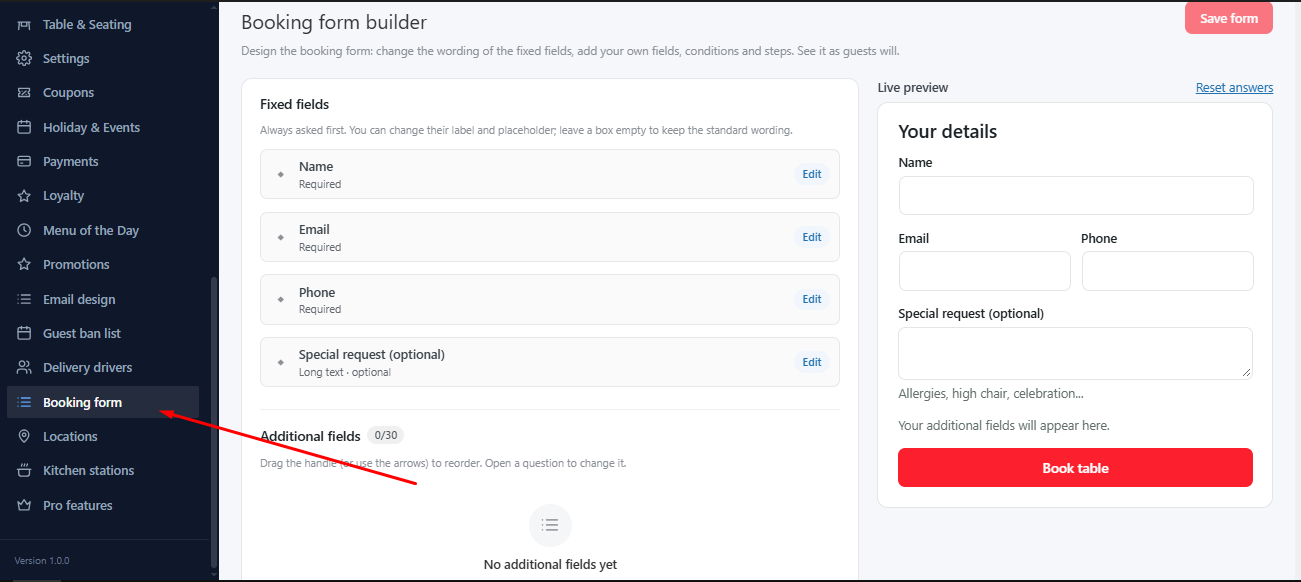
Go to MenuLoom → Booking form. The standard fields stay as they are. You can add questions of your own, such as “Allergies?” or “Is it a birthday?”.
- Add a field and give it a label.
- Choose its type. A choice list needs at least two options.
- Mark it required if guests must answer.
- Drag the handle, or use the arrows, to reorder. Open a question to change it.
The preview shows how the form will look. Answers appear with the booking.
Pro adds more PRO
Unlimited extra fields, more field types and conditional questions need MenuLoom Pro.
Was this article helpful?Thanks for your feedback.