

Holiday and Special Events
Open MenuLoom → Holiday & Events. It has two parts.
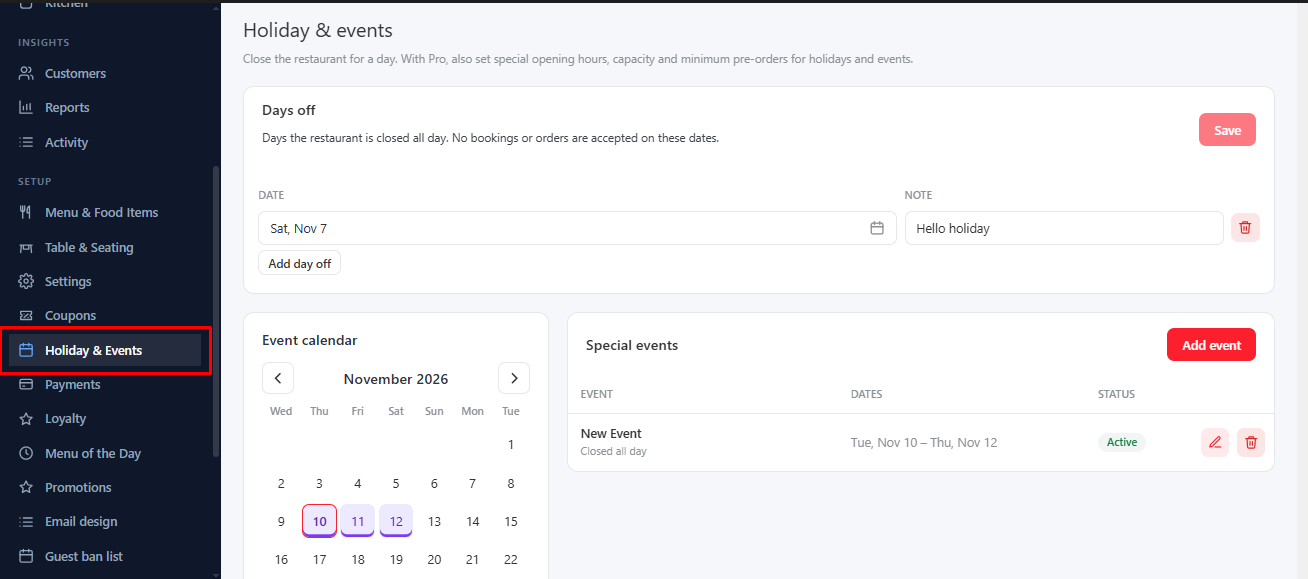
Days Off (free)#
Pick a date and click Add day off to close the restaurant for that day.
Special Events PRO#
An event covers a range of dates and changes the rules for them. The Event calendar shows your events; pick a day to open its event, or to start a new one on that day.
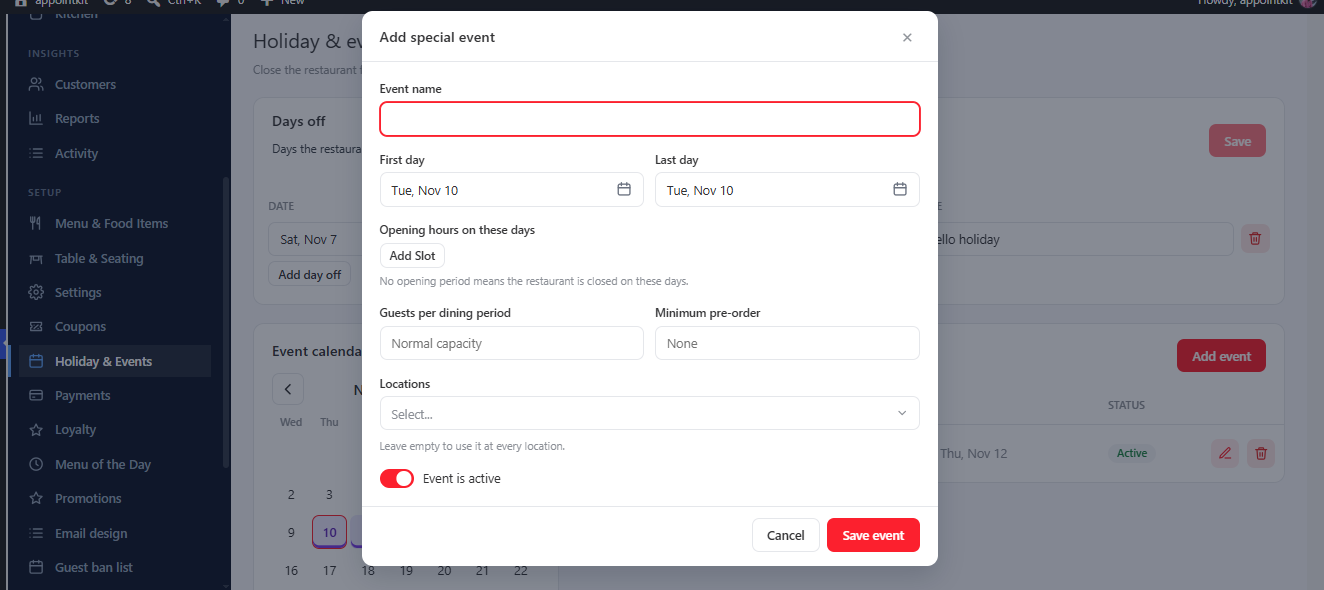
- Event name, First day and Last day.
- Opening hours on these days: special hours, or closed all day.
- Guests per dining period: a capacity for those days.
- Minimum pre-order: require food to be ordered with the booking.
- Event is active: switch off to keep an event without using it.
Two events cannot overlap on the same dates. With multiple locations, an event can belong to chosen branches, and the list and calendar follow the branch you are working in.
Was this article helpful?Thanks for your feedback.