

Online Payments
Needs MenuLoom ProThis feature is part of the Pro add-on. Without it the page opens as a locked preview.
Go to MenuLoom → Payments.
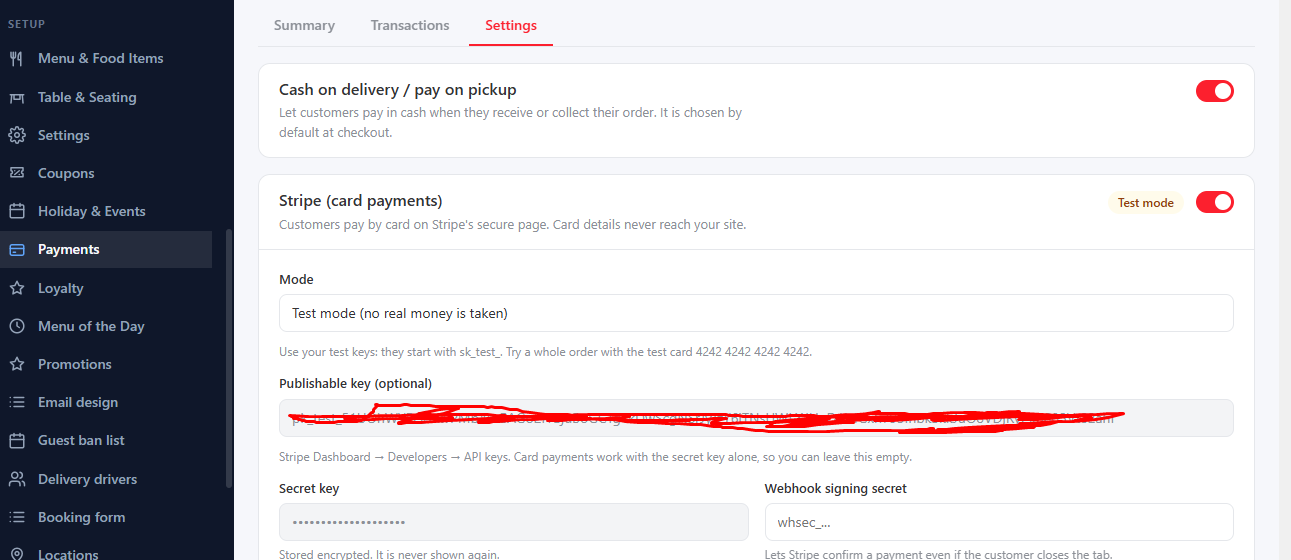
- Accept card payments with Stripe and Accept PayPal. Enter the keys or Client ID from your payment account.
- Allow cash on delivery and pay on pickup for customers who prefer to pay in person.
- Hold for (minutes): how long an order waits for payment.
- Allow refunds from here, with the option to also cancel the order when everything is refunded.
Transactions#
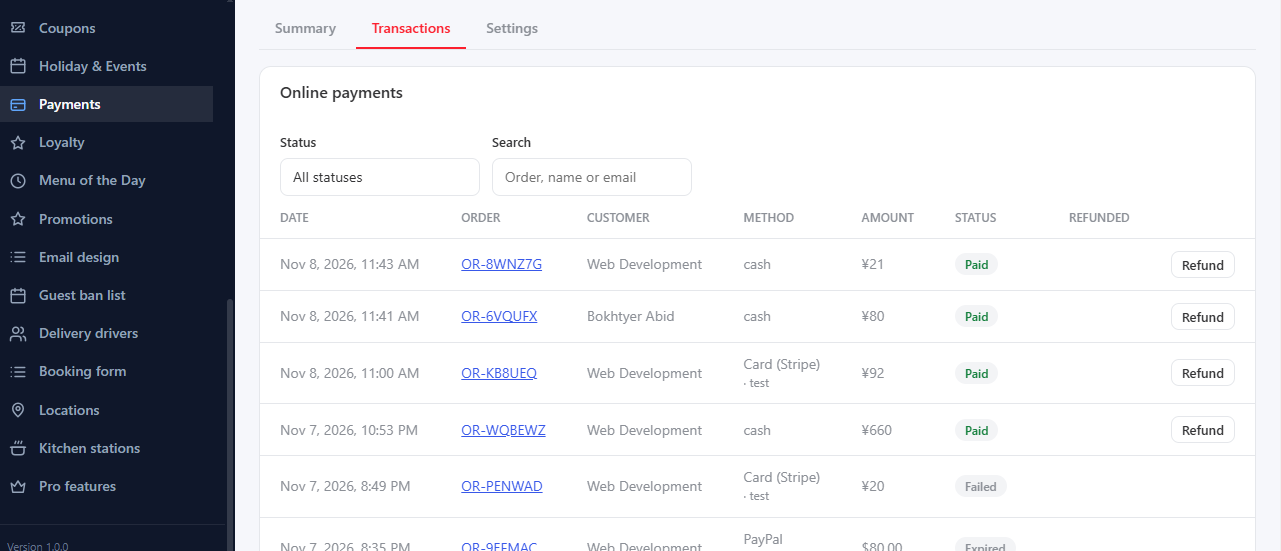
The Payments page lists every online payment with its amount and status, a summary of the money received and kept, and cash still to collect. Open an order to mark it paid or not paid, or to refund it.
Test first
Make a small test order and payment before you tell customers. Use HTTPS on your site for payments.
Was this article helpful?Thanks for your feedback.