

How to Install & System Requirements
MenuLoom adds a restaurant menu, table reservations and online food ordering (pickup and delivery) with a kitchen screen to your WordPress site. It does not need WooCommerce.
System Requirements#
- WordPress: version 6.5 or higher
- PHP: version 8.0 or higher
- Browser: the latest version of Chrome, Firefox, Safari or Edge
How to Install MenuLoom#
There are two easy ways to install the plugin.
Install from the WordPress Dashboard#
- Log in to your WordPress dashboard.
- Go to Plugins → Add New.
- Search for MenuLoom and click Install Now.
- Click Activate.
Screenshot: Plugins → Add New with MenuLoom in the search results
Install by Uploading a ZIP File#
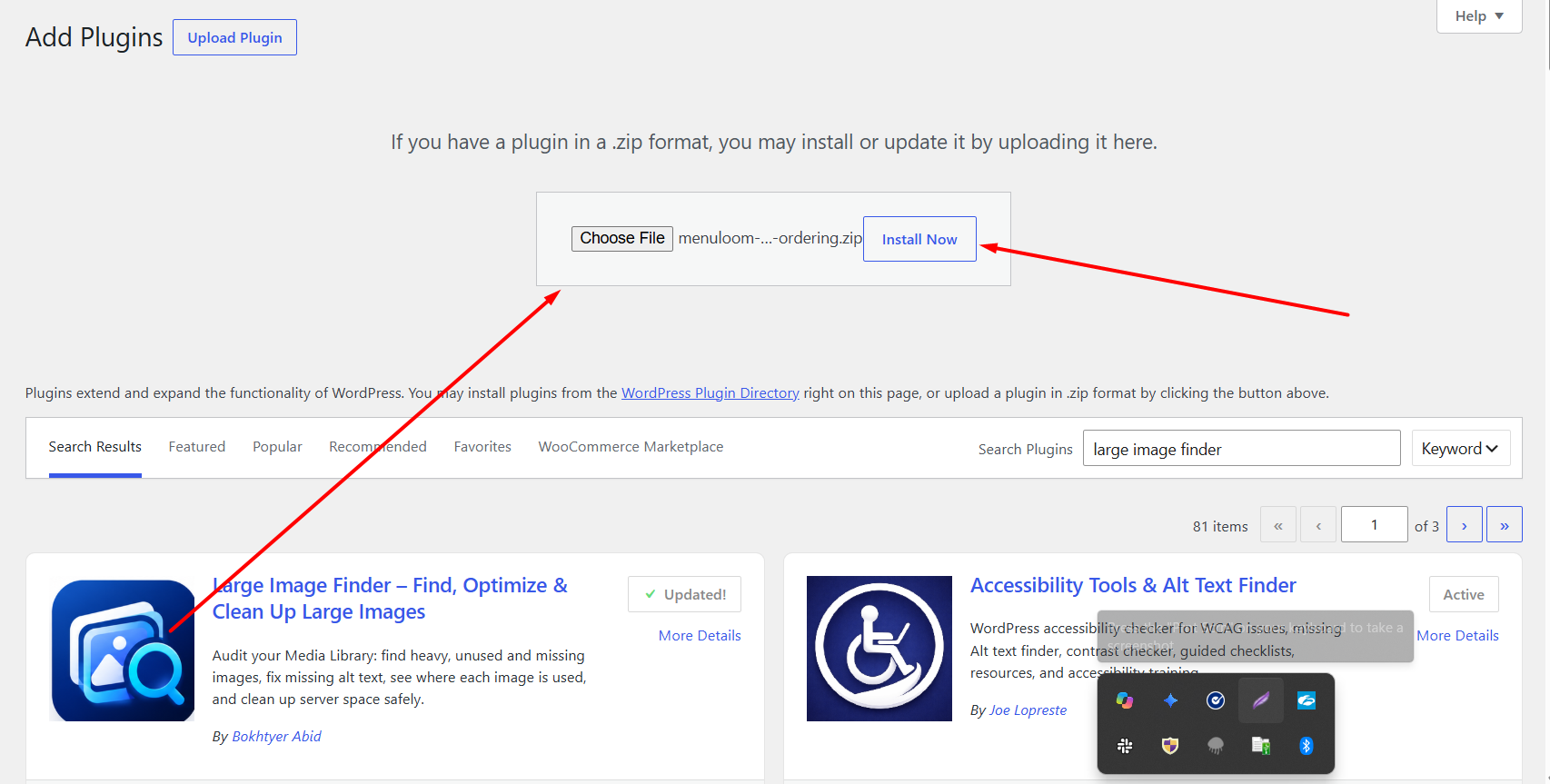
- Go to Plugins → Add New → Upload Plugin.
- Click Choose File and select the MenuLoom ZIP file.
- Click Install Now, then Activate Plugin.
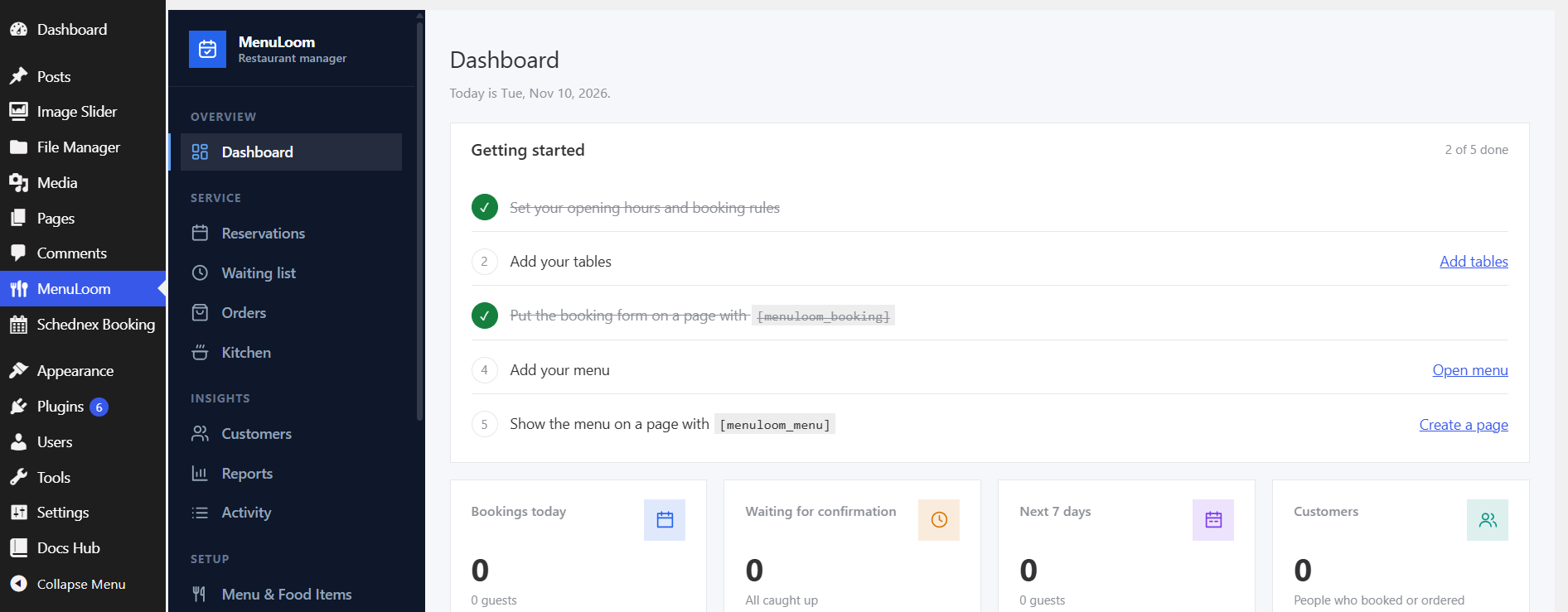
When the plugin is active, a MenuLoom item appears in the WordPress admin menu. Click it to open the MenuLoom dashboard.
Want more?
MenuLoom Pro is a separate add-on. Install and activate it the same way, after the free plugin. See Pro features overview.
Was this article helpful?Thanks for your feedback.