

Managing Reservations
All bookings are in MenuLoom → Reservations. New bookings from your website appear here, and the number waiting shows as a badge in the menu.
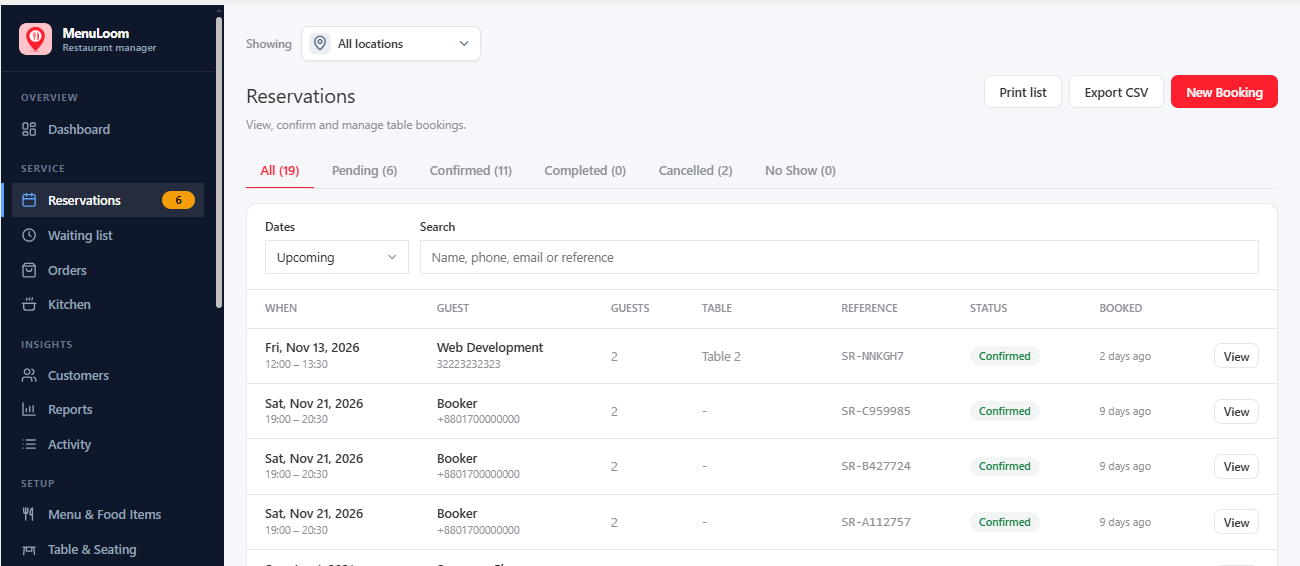
Booking Statuses#
| Status | What you can do |
|---|---|
| Pending | Confirm, or cancel the booking. |
| Confirmed | Mark completed, mark no show, or cancel. |
| Completed | Undo completed. |
| No Show | Undo no show. |
| Cancelled | Restore the booking. |
Whether new bookings start as pending or confirmed depends on your booking rules. The guest receives an email when a booking is received, confirmed, changed or cancelled, if emails are on.
Find a Booking#
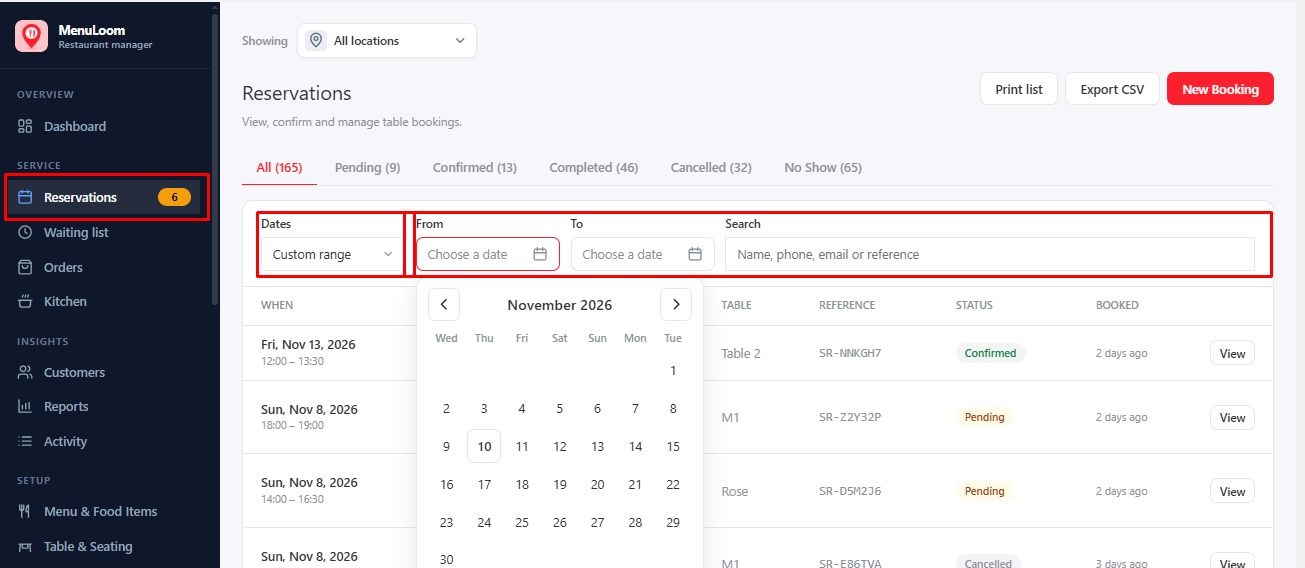
Use the filters at the top of the list: Dates (with From and To for your own range) and a Search box that finds a name, phone, email or reference. If nothing matches, the list tells you so; clear a filter to see more.
Was this article helpful?Thanks for your feedback.